November 13,2026 @09:08 AM
Choosing an order flow platform for futures trading involves more than comparing screenshots or counting features. Traders may need to evaluate market data, analytical tools, order-entry functionality, platform compatibility, software and data costs, and how the software fits their individual workflow.
The right platform to evaluate is the one whose verified capabilities, data access, costs, and technical requirements match your needs. No single platform is universally suitable for every futures trader, and access to more tools does not guarantee better trading decisions or results.
This guide explains eight criteria to consider when evaluating order flow software, along with practical questions to ask before committing to a platform.
What Should You Look for in an Order Flow Platform?
The most useful comparison starts with the information you need to analyze and the tasks you need the software to support.
| Evaluation criterion | What to check | Why it matters |
| Market data | Supported exchanges, instruments, data types, and depth | Determines which market information is available |
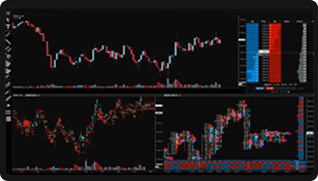
| Footprint charts | Bid/ask volume, volume at price, and configurable metrics | Helps you examine executed trading activity at individual price levels |
| Volume Profile | Session and custom profiles, Point of Control, and Value Area settings | Helps you examine how traded volume is distributed across prices |
| Depth of Market (DOM) | Available order-book depth, displayed quantities, and supported order controls | Determines how you can inspect displayed resting orders and manage orders |
| Order execution and management | Supported order types, routing arrangements, and order-management features | Helps establish whether the platform supports your intended workflow |
| Compatibility | Operating system, brokerage arrangements, data feed, and hardware requirements | Reduces the risk of choosing software that does not work with your setup |
| Costs | Software, market data, exchange, and other applicable fees | Helps you understand the total cost of using the platform |
| Usability and support | Interface, documentation, onboarding, and technical support | Helps you assess the practical requirements of learning and maintaining the setup |
Not every platform offers every feature, and similarly named tools may work differently across providers. Confirm current specifications directly with the relevant platform, broker, and data provider.
1. Check the Market Data Before Comparing Features
Market data is a foundational consideration when evaluating order flow software. A platform may advertise advanced visualizations, but the information available to those visualizations depends on the data feed, exchange permissions, supported instruments, and configuration.
Before comparing platforms, establish which markets you intend to analyze and what level of information your workflow requires.
Questions to ask include:
- Which futures exchanges and contracts are supported?
- What types of market data are available?
- Is the required depth of market included, or does it require a separate subscription?
- What exchange permissions or data agreements are necessary?
- Are there limitations on historical data, replay, or other data-dependent features?
- How is the information collected, classified, and displayed?
For example, a trader who wants to examine bid/ask volume at individual price levels may have different data requirements from someone who primarily reviews session volume distributions.
Practical tip: verify the actual data package and its fees before purchasing software. A feature listed on a product page may depend on a separate feed, subscription, permission, or supported instrument.
2. Evaluate Footprint Chart Capabilities
Footprint charts display executed trading activity at individual price levels within a bar. Depending on the implementation, they may show bid and ask volume, total volume, trade counts, or other measurements.
When comparing footprint chart functionality, check:
- Whether bid and ask volume are displayed separately.
- Which volume and trade-level metrics are available.
- Whether bar intervals and display settings can be configured.
- How the platform defines and calculates imbalances.
- Whether historical data supports the analysis you want to perform.
- How clearly the chart presents information without making the display difficult to interpret.
Do not assume that two platforms calculate or visualize the same metric identically. Review their documentation and, where possible, compare the same market and interval using equivalent settings.
Footprint charts can help describe activity within a bar, but they do not independently establish market direction or guarantee that a particular pattern will repeat.
3. Understand the Platform’s Volume Profile Tools
Volume Profile groups traded volume by price over a selected session, period, or custom range. It can provide a different view of activity from a footprint chart, which typically organizes information within individual bars.
Depending on the platform, profile tools may include:
- Session and composite profiles.
- Point of Control (POC).
- Value Area and configurable percentage settings.
- High-volume and low-volume areas.
- Options for selecting and comparing custom ranges.
When evaluating these features, check whether you can define the relevant profile periods, understand the underlying calculation, and reproduce the same settings when comparing different sessions.
Also consider how Volume Profile fits into the rest of the platform. If you need to compare profiles alongside price charts or other analytical tools, verify that the software supports that workflow.
A profile describes how volume was distributed over the selected range. It does not establish that a particular price will hold, reverse, or attract future activity.
4. Examine the Depth of Market (DOM)
The Depth of Market, or DOM, typically displays available resting buy and sell orders at different price levels. It may also provide order-entry and order-management controls, depending on the platform.
When comparing DOM functionality, consider:
- How much market depth is available through the selected data feed.
- How bid and ask quantities are presented.
- Whether the platform supports the order types you need.
- Which order-entry and order-management functions are available.
- How the platform handles order modifications and cancellations.
- Whether the displayed information updates in a way that supports your workflow.
It is important to distinguish between displayed resting orders and executed trades. Orders shown in the DOM may be modified or cancelled before execution, and visible liquidity does not necessarily represent every potential source of liquidity.
If you require specific order-book data or functionality, verify its availability for your intended exchange and instrument rather than assuming every platform provides the same view.
5. Review Order Entry, Routing, and Execution-Related Features
Analytical tools are only part of a trading platform. The order-entry and execution workflow should also be evaluated independently.
Depending on your requirements, relevant questions may include:
- Which order types are supported?
- How are orders submitted, modified, and cancelled?
- Which brokerage and routing arrangements are supported?
- What execution-related information can be reviewed?
- Are there any additional requirements for connectivity, data, or permissions?
- Which aspects of the workflow are handled by the platform, broker, or other service providers?
Be precise about terminology. A platform interface, a market data feed, a broker, and an order-routing service can perform different roles. The presence of an order-entry interface does not, by itself, establish the quality of execution or guarantee a particular fill.
Verify the responsibilities of each provider and the current specifications of the services involved.
6. Check Compatibility and Technical Requirements
Before committing to software, verify that it can operate within your existing setup.
Compatibility considerations may include:
- Supported operating systems and devices.
- Required hardware and recommended system specifications.
- Supported brokers and data feeds.
- Internet connectivity and network requirements.
- Access to multiple monitors or specific display configurations.
- Availability of historical data, replay, or other optional features.
- Installation, account, and licensing requirements.
If you use several analytical tools together, also confirm that they can be used in the intended configuration. Two products may both offer useful features but still have different technical requirements or may not integrate directly.
Do not rely on a general feature list as proof of compatibility. Check the current documentation and confirm any important dependencies with the relevant providers.
7. Calculate the Total Cost of Ownership
The advertised software price may not represent the total cost of operating a particular setup.
Depending on the arrangement, costs can include:
- Platform subscription or licensing fees.
- Exchange market data and market depth subscriptions.
- Brokerage-related fees.
- Optional add-ons or advanced features.
- Hardware or connectivity requirements.
- Other applicable service or administrative fees.
Use a like-for-like comparison. Compare the same instruments, required data access, relevant features, billing periods, and any additional services necessary to make each setup usable.
| Cost category | Questions to ask |
| Software | Is the license free, subscription-based, or subject to another fee? |
| Market data | Which feeds and depth levels are included? |
| Exchange permissions | Are additional exchange fees or agreements required? |
| Add-ons | Are essential features included in the base package? |
| Other costs | Are there separate fees for services or technical requirements? |
Prices, subscriptions, and exchange requirements can change. Confirm current fees and terms with the provider before making a decision.
A higher-priced platform is not automatically more suitable, and a lower-priced platform may not include every feature or data package you require.
8. Evaluate Usability, Learning Requirements, and Support
A platform can provide extensive functionality while still being difficult to use for a particular trader. Evaluate whether its interface and documentation make the available information understandable and manageable.
Consider the following:
- Can you clearly distinguish executed trades from displayed resting orders?
- Are chart settings and calculations documented?
- Can you configure the interface around the information you actually need?
- Is onboarding information available?
- What technical support channels are offered?
- Can you test the software or review its workflow before committing, where available?
- Does the platform’s complexity match your current experience and requirements?
A useful evaluation focuses on whether the tools support a clear analytical process. More indicators, more windows, or more granular data do not automatically produce better decisions.
If a trial or demonstration is available, use it to test your intended workflow and confirm compatibility. Review any trial conditions, limitations, and fees before signing up.
How to Compare Order Flow Platforms Fairly
Once you have identified your requirements, use the same criteria for each platform. This makes the comparison more transparent and reduces the risk of choosing software based on marketing language alone.
You can use the following checklist:
- The required exchanges, instruments, and data are supported.
- The footprint chart functionality meets my analytical requirements.
- The Volume Profile tools provide the settings I need.
- The DOM displays the required market depth and supported functions.
- The order types and brokerage arrangements are compatible with my workflow.
- The software works with my operating system and hardware.
- I understand the full cost, including required data and exchange fees.
- I have reviewed the documentation, limitations, and support options.
- I have confirmed any important specifications directly with the provider.
You may also create a weighted comparison based on your priorities. For example, a trader who primarily analyzes volume distributions may assign more importance to profile functionality, while someone who frequently works with a price ladder may prioritize DOM capabilities.
These weights should reflect individual requirements, not a universal ranking of platforms.
Where Can You Explore Futures Trading Platforms?
After defining your requirements, you can review available platform options and verify which products support the features you need.
EdgeClear’s Trading platform directory provides a starting point for exploring platform options. For more detailed product-specific information, review the relevant pages, including:
Use these pages to investigate stated features and compatibility, then confirm current specifications, costs, data requirements, and applicable terms with the relevant providers.
This is an evaluation process, not an endorsement of one platform as universally superior. The suitability of a product depends on its verified capabilities and how those capabilities match your needs.
Frequently Asked Questions
What is the most important feature in an order flow platform?
There is no single most important feature for every trader. Relevant factors may include data availability, footprint charts, Volume Profile, DOM functionality, order management, compatibility, costs, and ease of use. Prioritize the features that directly support your intended workflow.
Do I need footprint charts, Volume Profile, and DOM on the same platform?
Not necessarily. These tools provide different views of market activity, and their usefulness depends on your analytical approach. Evaluate whether each tool serves a distinct purpose before paying for functionality you may not need.
Is a platform with more order flow tools always better?
No. A larger feature set does not automatically mean a platform is more suitable. Data quality and availability, calculation methods, usability, compatibility, costs, and your actual requirements are also important.
What is the difference between a trading platform and a market data feed?
A trading platform provides the interface and tools used to view information and, where supported, manage orders. A market data feed supplies market information to the platform. Their functions, fees, permissions, and compatibility requirements may differ, so verify which services are included in a particular arrangement.
Are market depth and DOM functionality the same across all platforms?
No. The displayed depth and available features depend on the platform, exchange, data feed, permissions, and configuration. Confirm which levels of market depth and order-book functions are available for the instruments you intend to use.
How much does an order flow platform cost?
Costs vary by provider, license, data package, exchange requirements, and optional features. Consider the total cost of the required setup rather than comparing software subscription prices alone. Confirm current fees and terms before purchasing.
Can order flow software guarantee better trading results?
No. Analytical tools provide information that traders may use in their decision-making process, but they cannot guarantee a particular outcome. Trading results depend on many factors, and futures trading involves substantial risk.
Final Takeaway
Evaluating an order flow platform for futures trading requires more than comparing feature lists. Start with your data requirements, determine which analytical tools you need, verify order-management and compatibility requirements, and calculate the total cost of the setup.
Use consistent criteria across providers and confirm important specifications directly. The objective is not to find a universally superior platform, but to identify an option whose verified capabilities and requirements align with your individual workflow.
This article is for educational and informational purposes only. It is not investment advice, a recommendation to buy or sell any financial instrument, or a guarantee of trading results. Futures trading involves substantial risk and may not be suitable for every trader.